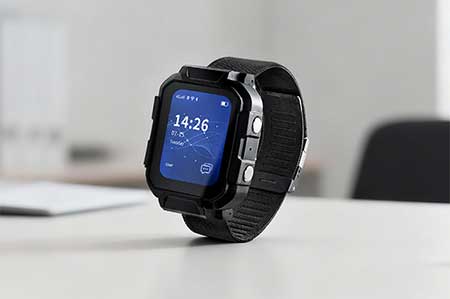
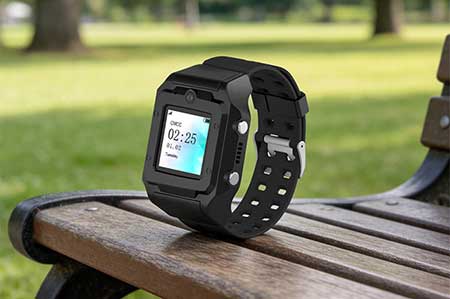
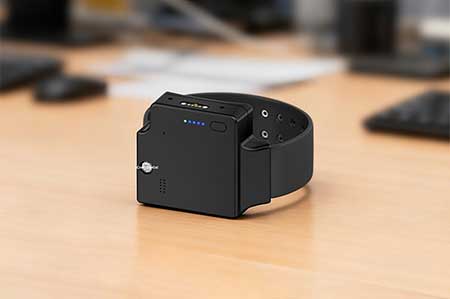
Traxbean GPS Tracking system is a professional location tracking solution, widely used in enterprise employee management, community correction, intelligent site personnel management, elderly safety and health management and other fields. By integrating smart watches, BLE beacons, electronic handcuffs, electronic handcuffs, RFID readers and other smart devices, the system provides users with real-time tracking, historical track, electronic fence, alarm management, health monitoring and other functions.
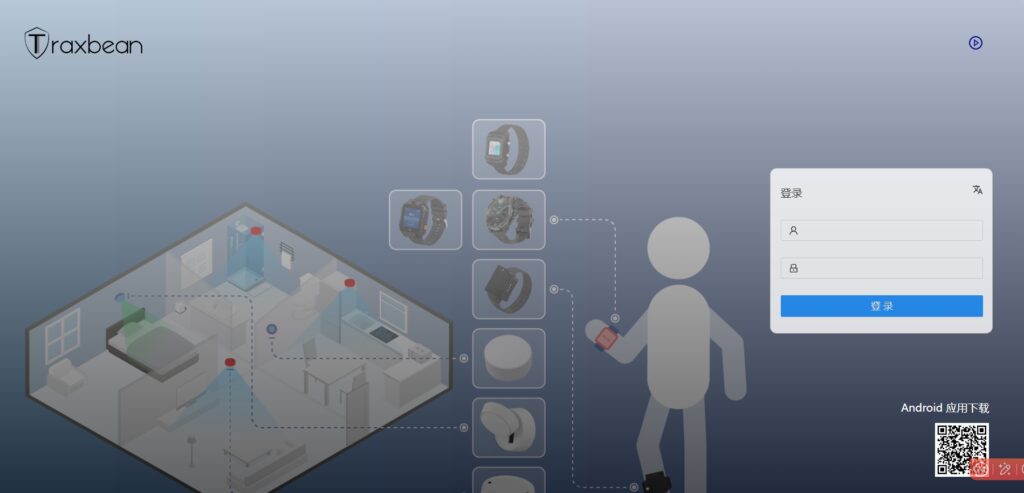
In addition, the Traxbean system also supports configuration and control of the device through the Traxbean BLE Tool, such as Wifi connection parameters, APN parameter Settings, remote switching of BLE modules, firmware upgrades and other operations. The system also provides a wealth of alarm functions, such as electronic fence, low power alarm, equipment damage alarm, etc., to ensure that supervisors can detect and deal with abnormal situations in time.
The Traxbean GPS Tracking system provides users with an efficient and reliable device management solution through its powerful functions and flexible operation process.
The following are instructions for device management, modification and deletion of Traxbean GPS Tracking system:
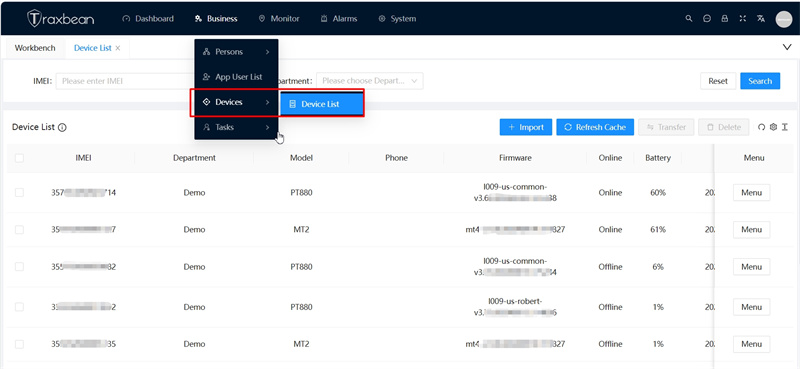
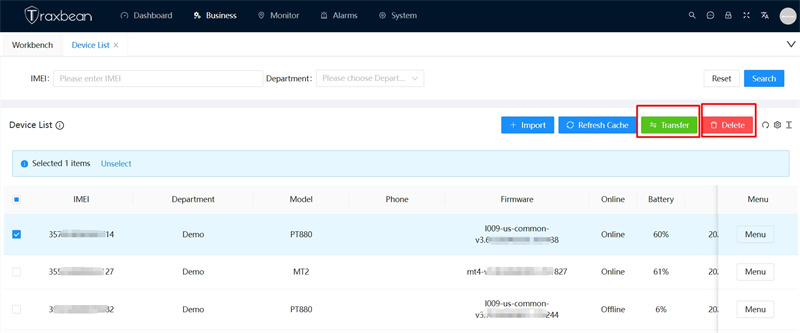
1,In the navigation menu, select the device list. In the list, you can see all the devices under your department, as well as the model and firmware version of the device.
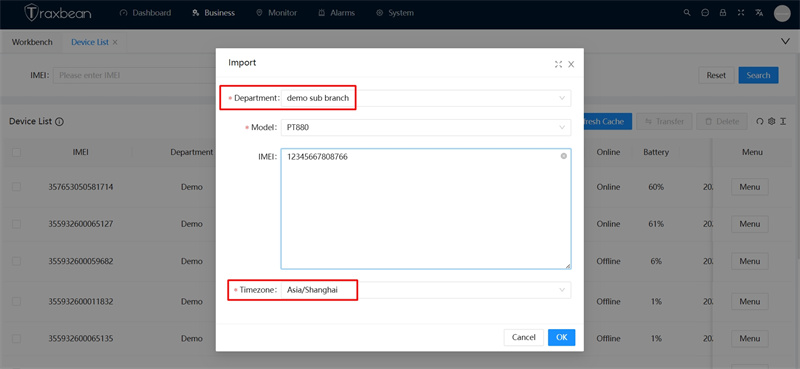
2,Add a device: Select the input device in the device list to add the newly purchased hardware device. You can fill in the department, model, device number, and time zone.
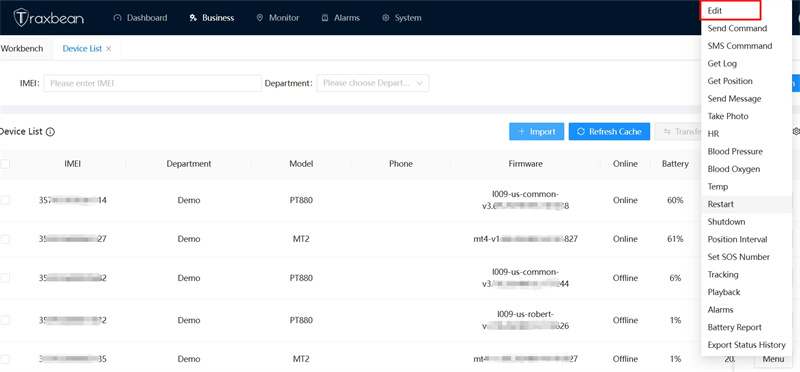
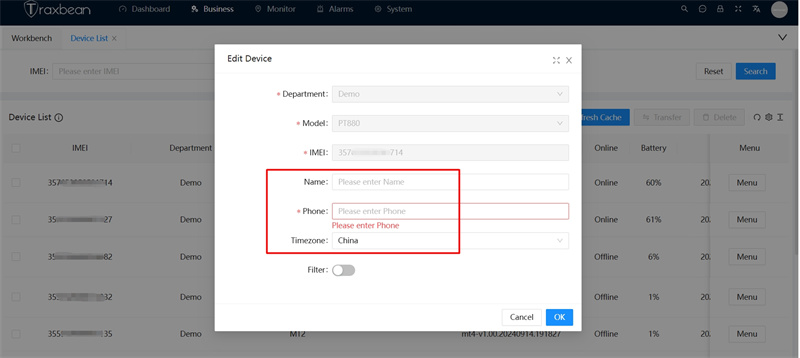
3,Edit device: In the right menu of the device can select “Edit device”, you can modify the information of this device.
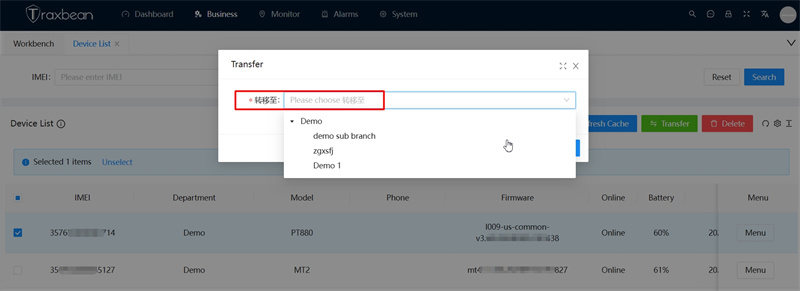
4,Transfer and Delete devices: On the right of the device list, you can select Transfer Device and delete device. If you want to transfer the device to another department, select Transfer Device.
The above is the Traxbean GPS Tracking system device management operation guide, familiar with the device list more easily and quickly manage all the devices under your account.Traxbean GPS Tracking system device list management operation guide.