Click on the link to watch the demonstration video:https://youtu.be/4_pvHCFKslQ
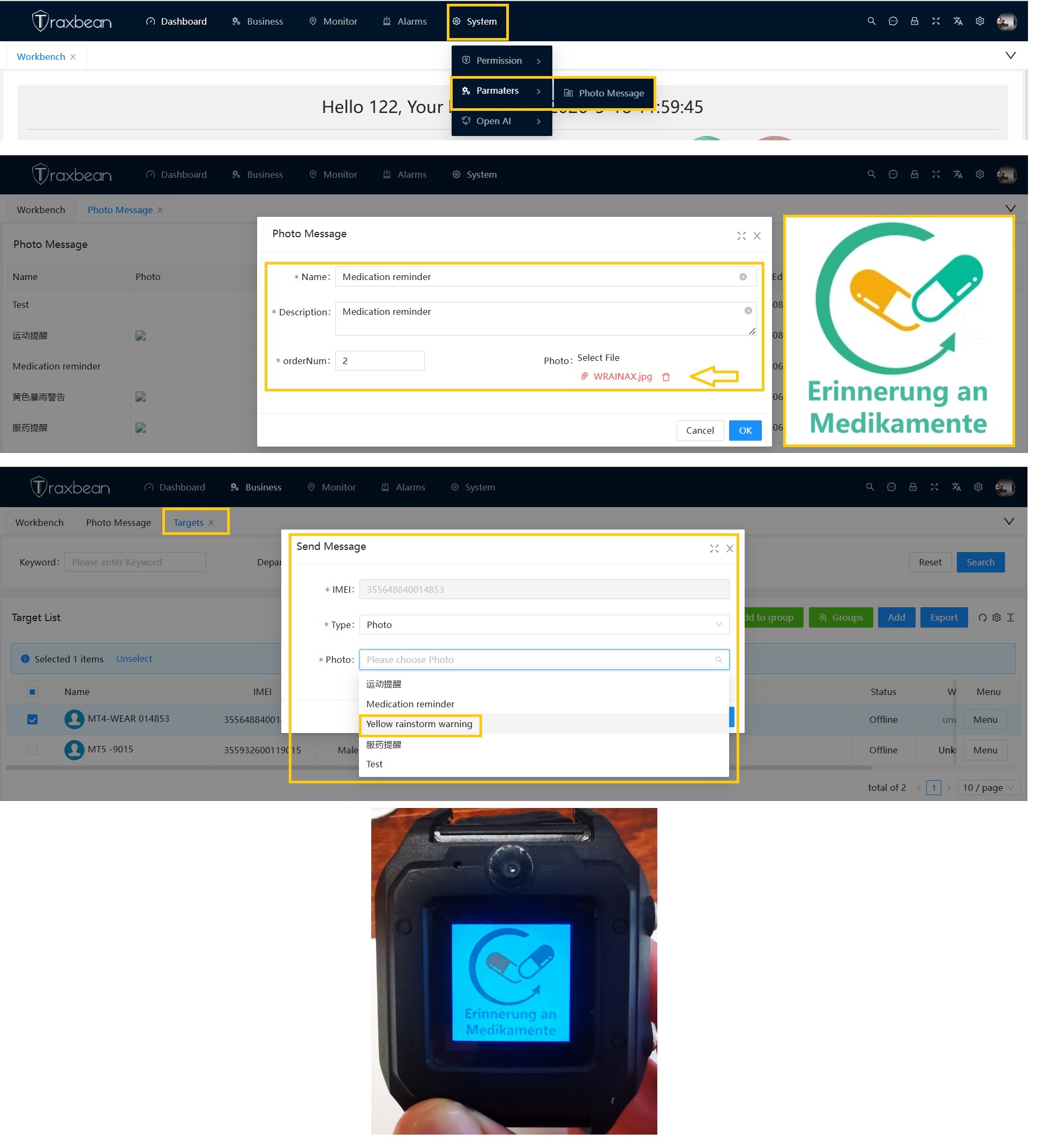
This video demonstrates how to send image messages to Targets. Upload the image first, then select the Target, choose to send an image message to the Target, select an image message, and click send. The server sends the image file to the device which binding to the Target, and the device automatically displays image message.
The Traxbean tracking software system also supports sending text and AI voice messages to Targets.
Thinkrace also provides comprehensive development services to help you develop exclusive location management systems using AI.Contact us for cutting-edge technology and AI development guidance.